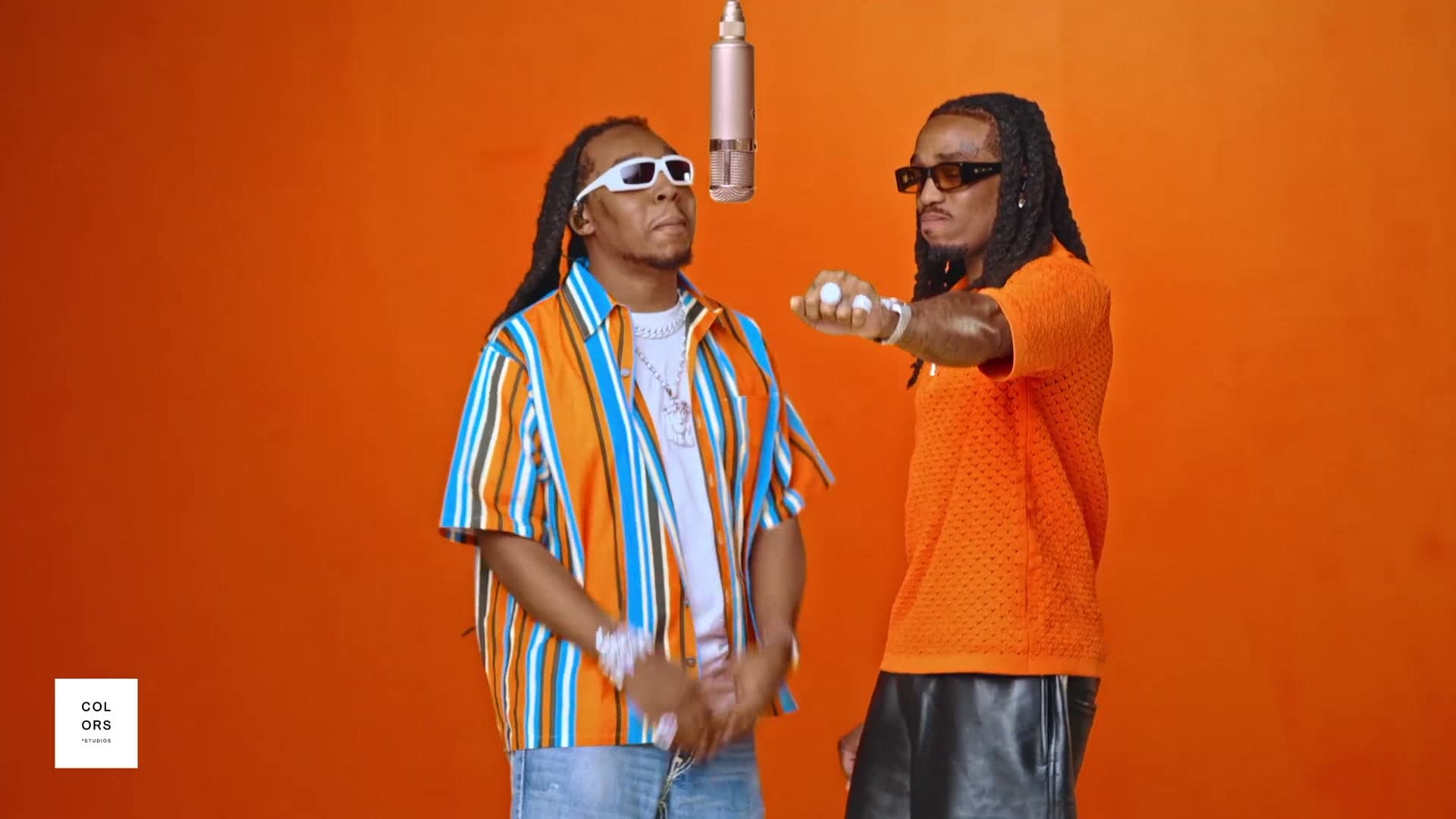
The two-person orange booth trend

Hotel Lobby AI Video Generator

Upload two photos. Get a 15-second video of you both in the orange COLORS booth.

Two people · one take

Build your cast

Use clear front-facing photos

First generation free · 15 seconds · No app download

Before and after

Your two portraits, placed into the fixed performance.

The input photos define who appears. The Hotel Lobby template defines where they stand, how the orange booth looks and where the suspended microphone stays. This separation helps the Hotel Lobby AI video generator preserve a recognizable identity without asking the model to invent a new scene.

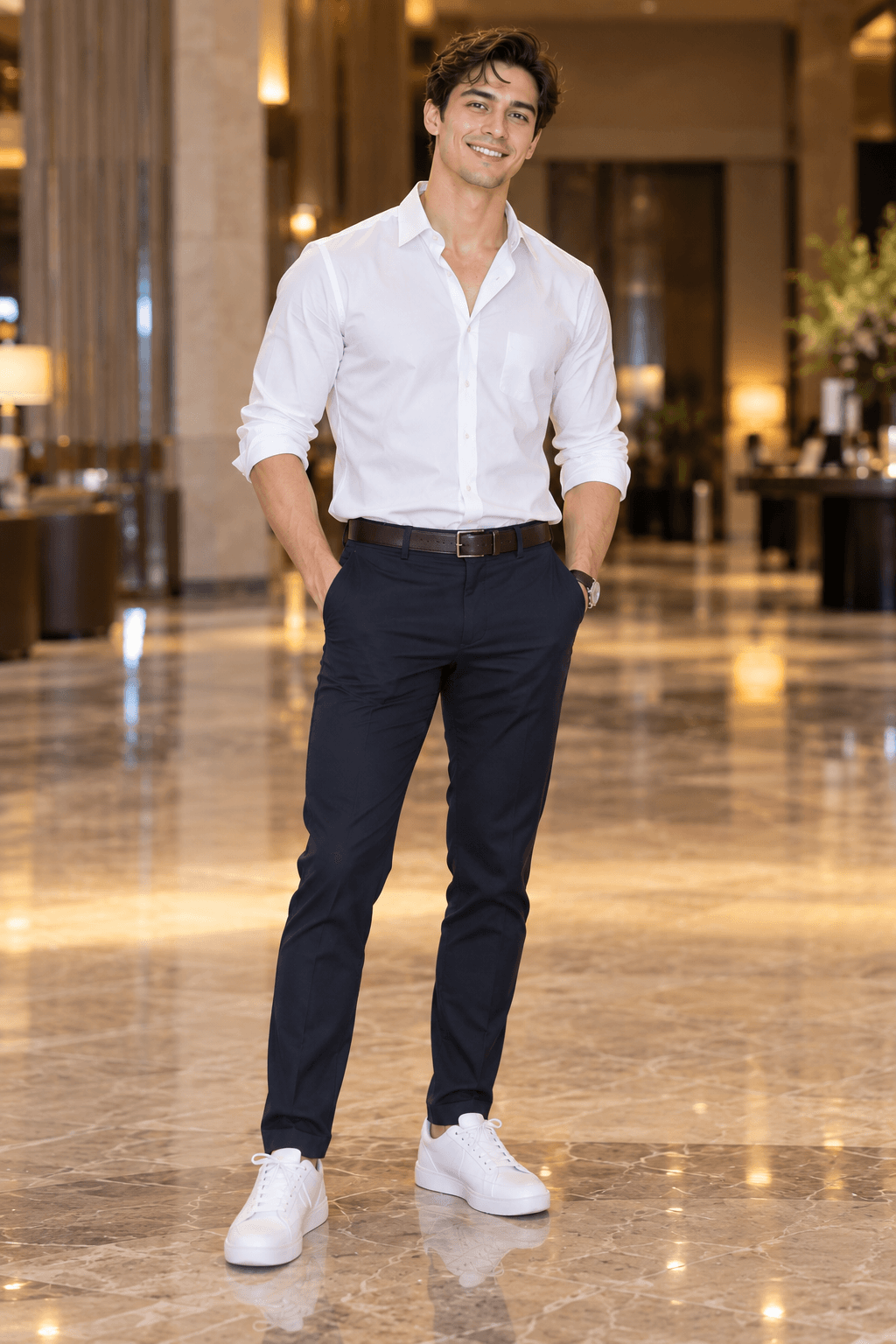
First portrait used for the left Hotel Lobby performer
Person 1 · LEFT
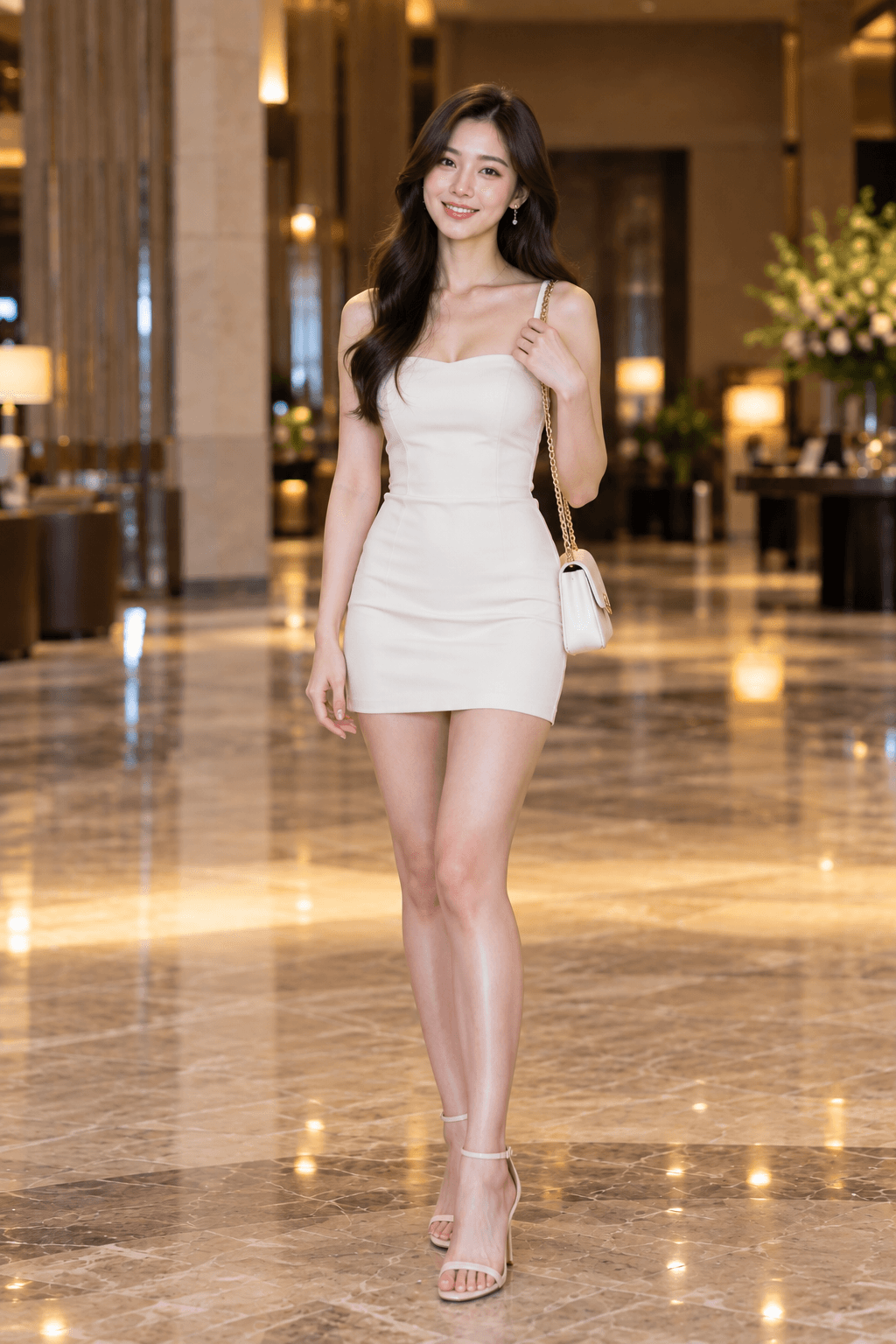
Second portrait used for the right Hotel Lobby performer
Person 2 · RIGHT
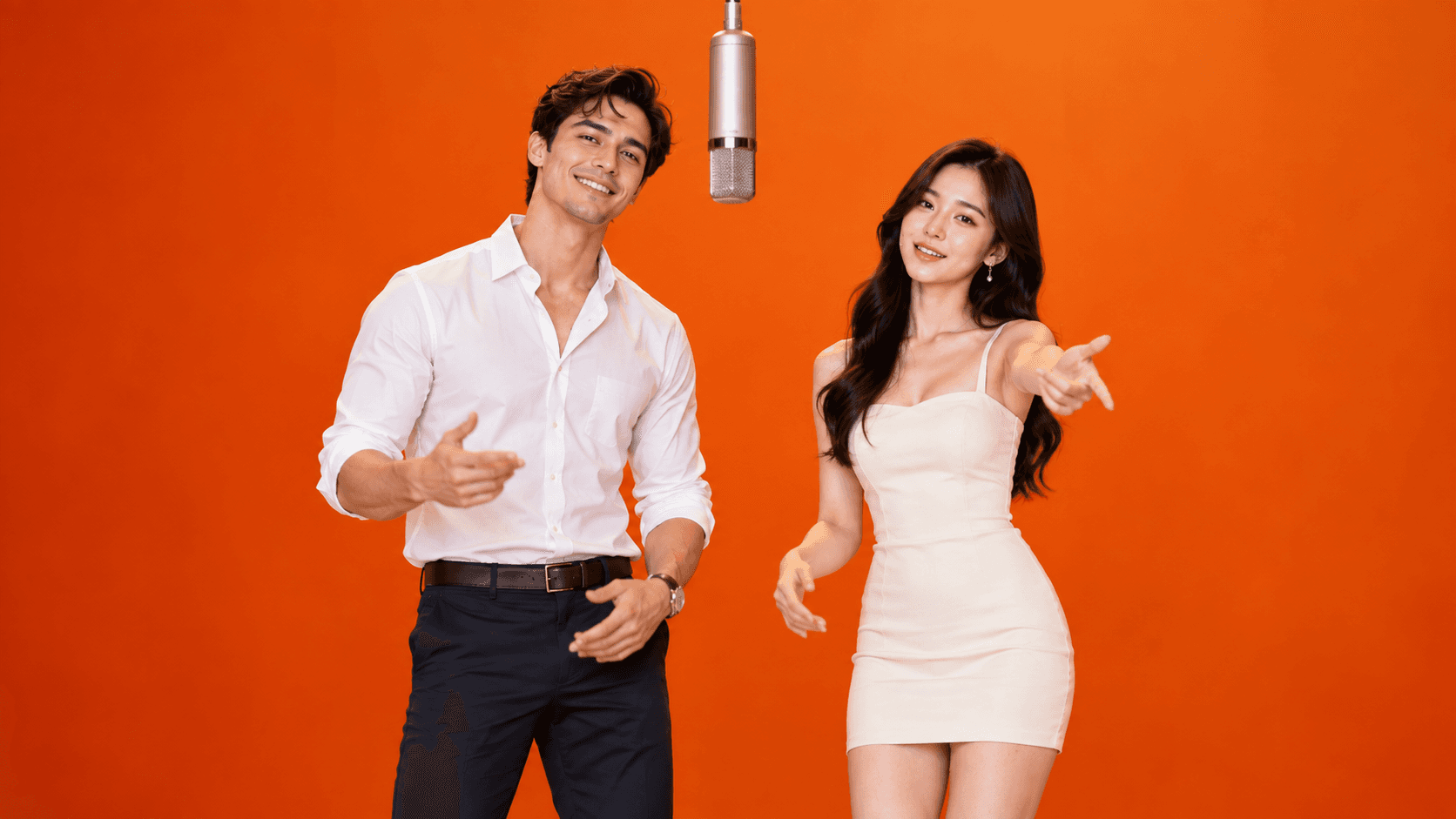
Two photos replaced into the Hotel Lobby AI video
Fixed orange booth · two replaced identities

15-second example

See the full performance.

The sample shows the fixed camera, orange booth, suspended microphone and two-performer choreography used by this Hotel Lobby AI video generator.

Hotel Lobby AI 15-second template preview

What is the Hotel Lobby AI video?

A familiar performance, recast with your two people.

The Hotel Lobby AI video generator turns two clear portraits into a coordinated 15-second performance. Person 1 stays on the left, Person 2 stays on the right, and both follow a fixed sequence of gestures beneath the suspended microphone.

Instead of asking you to write a prompt, Vidoro keeps the Hotel Lobby AI video generator focused on one recognizable template: the saturated orange studio, locked camera and original movement timing. That makes the setup simple and keeps every attempt comparable.

The process begins with identity replacement rather than free-form scene creation. Your first photo supplies the face and recognizable traits for the existing left performer. Your second photo does the same for the right performer. The template remains the source of truth for body position, standing pose, camera perspective, floor, lighting and microphone placement.

Headshots and half-body photos can still be useful. When a source image does not show the lower body, the system keeps the template pose and extends only the reliable visual information it can see. Face shape, key features and hairstyle take priority over inventing an entirely new outfit or body. This gives identity consistency a clearer target during the later movement sequence.

Your first generation is a free 720P preview with a small Vidoro watermark. If the cast and motion look right, one-time credits unlock watermark-free 720P or 1080P output.

How it works

Two portraits in. One performance out.

  1. Clear portrait uploaded for the left Hotel Lobby performer
    01

    Upload two front-facing photos

    Choose one photo per person. Person 1 becomes the left performer, and Person 2 becomes the right performer. Separate portraits give the model a cleaner identity reference than a group photo.

  2. Hotel Lobby AI video template preview in the orange booth
    02

    Keep the fixed Hotel Lobby template

    The orange booth, suspended microphone, camera and two standing positions come from the template. You do not need to describe the scene or write a motion prompt.

  3. Finished Hotel Lobby AI scene ready for video generation
    03

    Generate and download the 15-second video

    The starting frame is animated through the established performance. Keep the result page open while it processes, then preview the finished MP4 and download it.

Template preview

One locked scene, with clear roles for both people.

These real project assets show the scene, left input and right input used by the current workflow. The Hotel Lobby AI video generator does not choose a random room or move the microphone to fit the portraits.

Hotel Lobby AI orange studio template and microphone
Fixed orange studio
Portrait reference assigned to the left template position
Person 1 · LEFT
Portrait reference assigned to the right template position
Person 2 · RIGHT
Explore the complete template

Practical troubleshooting

Fixing the most common Hotel Lobby AI issues

Generative video can vary even when the template stays fixed. Start with the source material before assuming that a second generation will solve the same problem.

Faces do not look consistent

Replace blurry, dark or strongly angled photos with sharp front views. Keep the complete face visible and avoid sunglasses, hands, hair or another person crossing important features. Upload each person separately instead of cropping two faces from one group photograph. A clean view of the jawline, eyes, nose, mouth and hairstyle gives the identity replacement stage more reliable evidence.

Motion does not follow the reference closely

The template specifies timing, side assignment and the major gestures, but AI motion reproduction can still introduce natural variation. Clear source faces and an uncluttered starting identity help, especially when the right performer turns away and faces forward again. The result should follow the routine closely, but it is not a frame-by-frame copy and should not be presented as one.

Generation fails

A provider error, timeout or invalid input can stop the task before a video URL is available. The result page reports the failed state and does not automatically submit another paid generation. If a paid task had a held credit, the current server task handler returns it when the provider reports failure or the task reaches its timeout. Confirm the status and balance before manually trying again.

Share the result

Where to post your Hotel Lobby AI video

The 15-second performance is short enough to use as a complete social clip rather than an excerpt. The current output is horizontal 16:9, matching the real sample and fixed two-person composition. That wide frame protects both performers and the centered microphone from being cropped.

TikTok

Place the full 16:9 video on a vertical canvas, then use captions or a title in the open space. Avoid filling the screen if doing so cuts off either side.

YouTube Shorts

Use the downloaded MP4 in a vertical edit or as a wide clip inside a Short. Keep the original frame visible when identity and choreography matter most.

Instagram Reels

Fit the landscape result inside a Reel canvas and add a restrained background or headline rather than zooming deeply into the two-person scene.

Focused workflow

Hotel Lobby AI generator vs. other AI video tools

General AI video tools often begin with an empty prompt box. You must describe the room, camera, cast, lighting and motion, then revise that prompt when the composition changes. That flexibility is useful for open-ended filmmaking, but it adds decisions when you only want to recreate one recognizable format.

The Hotel Lobby AI video generator uses a fixed template instead. No prompt writing is required. The orange studio, microphone, camera and major choreography are already defined, while your two photos supply the identities. This produces a more predictable composition and keeps the workflow centered on two-person identity replacement for this specific viral format.

A focused template does not remove all generative variation. Hands, turns and partially hidden faces remain difficult. Its advantage is a narrower objective: preserve two identities in assigned left and right positions while following one established performance, rather than asking the model to design a new scene every time.

Choose this workflow when the recognizable Hotel Lobby format is the goal. Choose a general video generator when you need a different environment, camera move, number of people or original choreography. The tools solve different creative problems, and the right choice depends on how much control you want to define yourself.

FAQ

Before you generate.

Do I need to sign up?

No. Your first video is free without an account.

Does it work with two people?

Yes, both faces are kept consistent.

How long does it take?

Usually under 3 minutes.

What kind of photos work best?

Use a separate, front-facing photo for each person with even lighting and a clearly visible face. Hair, face shape and the upper part of the clothing should be easy to see. Avoid strong side profiles, dark or blurry images, sunglasses, hands over the face and photos where another person blocks the subject.

Why do the faces sometimes look off?

Facial consistency can weaken when the source is blurry, taken from a strong side angle, partly obstructed or too small to show useful detail. Overlapping subjects also make identity assignment harder. Try again with one sharp portrait per person, direct eye-level framing, even light and no glasses, hands or hair covering important facial features.

Can I put more than two people in the video?

No. The Hotel Lobby template has exactly two performance positions: Person 1 on the LEFT and Person 2 on the RIGHT. Adding a third person would conflict with the fixed composition, choreography and microphone placement used by the template.

What happens if the generation fails?

The result page marks the task as failed and does not automatically submit another paid request. If a paid task has a held credit, the current server-side task flow is set to return that credit when the provider reports a failure or timeout. Check the displayed balance before starting a new attempt.

Can I post it on TikTok, Reels and Shorts?

Yes. The 15-second result is suitable for TikTok, Instagram Reels and YouTube Shorts. The current Hotel Lobby template is generated in a horizontal 16:9 composition, so use the platform's fit or canvas controls if you want to place it inside a vertical 9:16 post without cropping either performer.

One-time credits

Create when you want. Never subscribe.

One credit makes one 15-second 720P video. A 1080P video uses 1.6 credits. Credits never expire.

Try it

$7.9

1 credit

≈ $7.9 per 720P video

Credits never expire

Most popular

$19.9

3 credits

≈ $6.6 per 720P video

Credits never expire

Best value

$44.9

8 credits

≈ $5.6 per 720P video

Credits never expire

For creators

$99

20 credits

≈ $5.0 per 720P video

Credits never expire

Explore the Hotel Lobby AI trend